Hey everyone 
It’s been a while! We’ve been heads-down on something big, and today it’s finally ready: Listary V7 Beta is out.
The headline change is that the Launcher now recommends for you. Open it, type nothing, and your recent files are already there. On top of that: a search core rebuilt from scratch, multi-select in the File Search window, a set of new theme colors, and more.
It’s still a Beta, so expect a few rough edges. Please give it a spin and tell us what feels great and what feels off. Your feedback directly decides what we build next.
Download Listary V7 Beta (Win 10 & 11): https://dl.listary.net/v7/Listary.exe
The headline updates in Listary V7
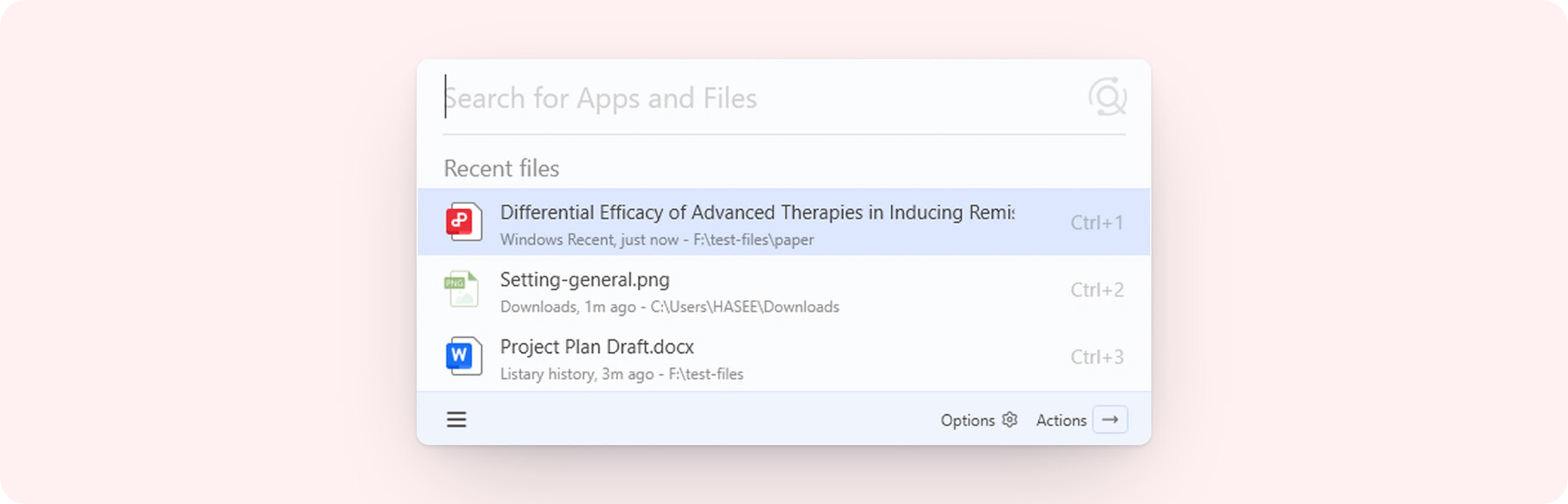
The Launcher now recommends files
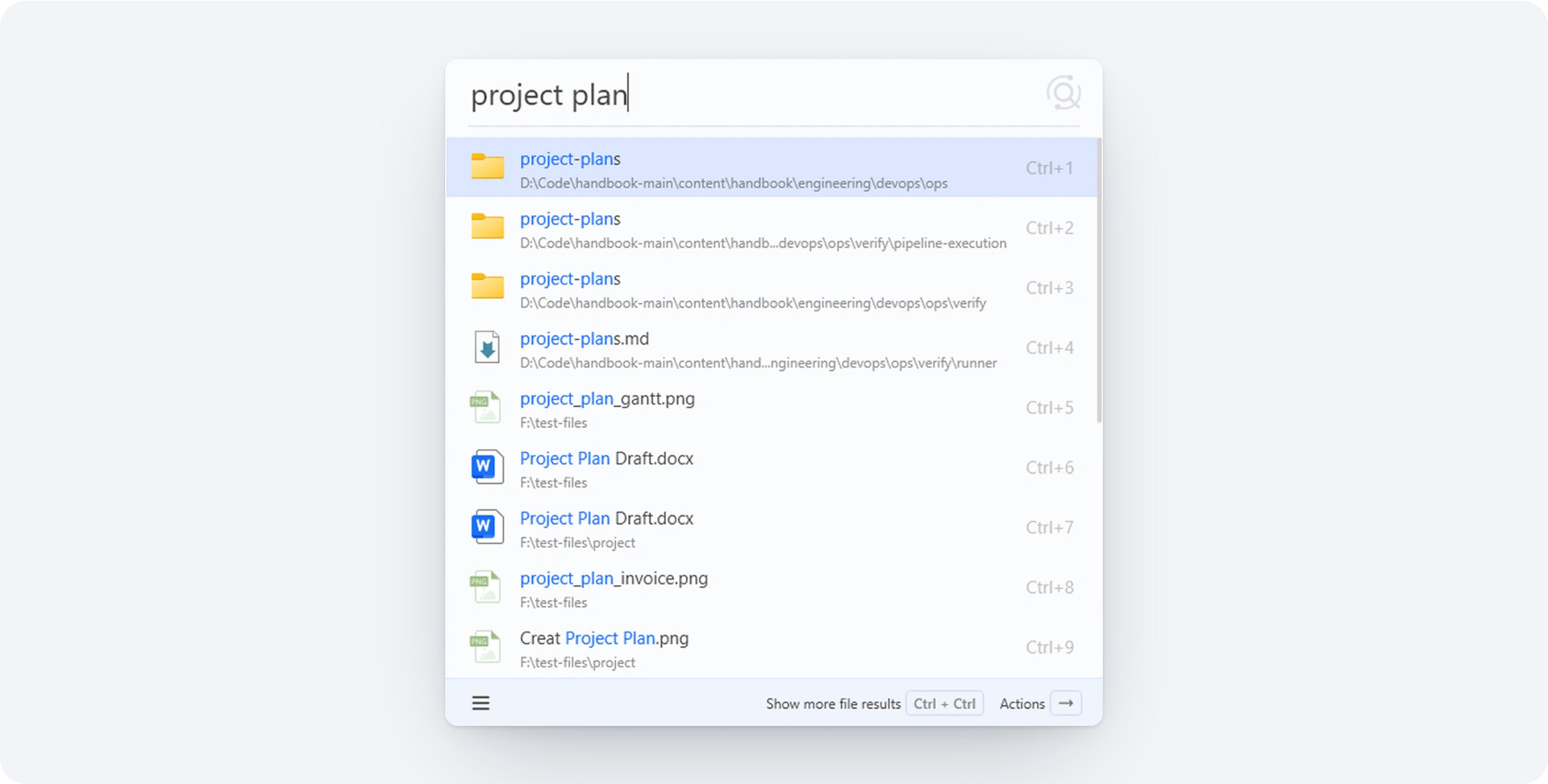
Open the Launcher, and without typing a single keyword, your recent files and folders are already there. The document you were just editing reopens with one key.
Much of the time, what you need is right there and the search step is gone. The more the tool knows you, the less you do. Next, you’ll be able to pin your go-to files so they stay in the list.
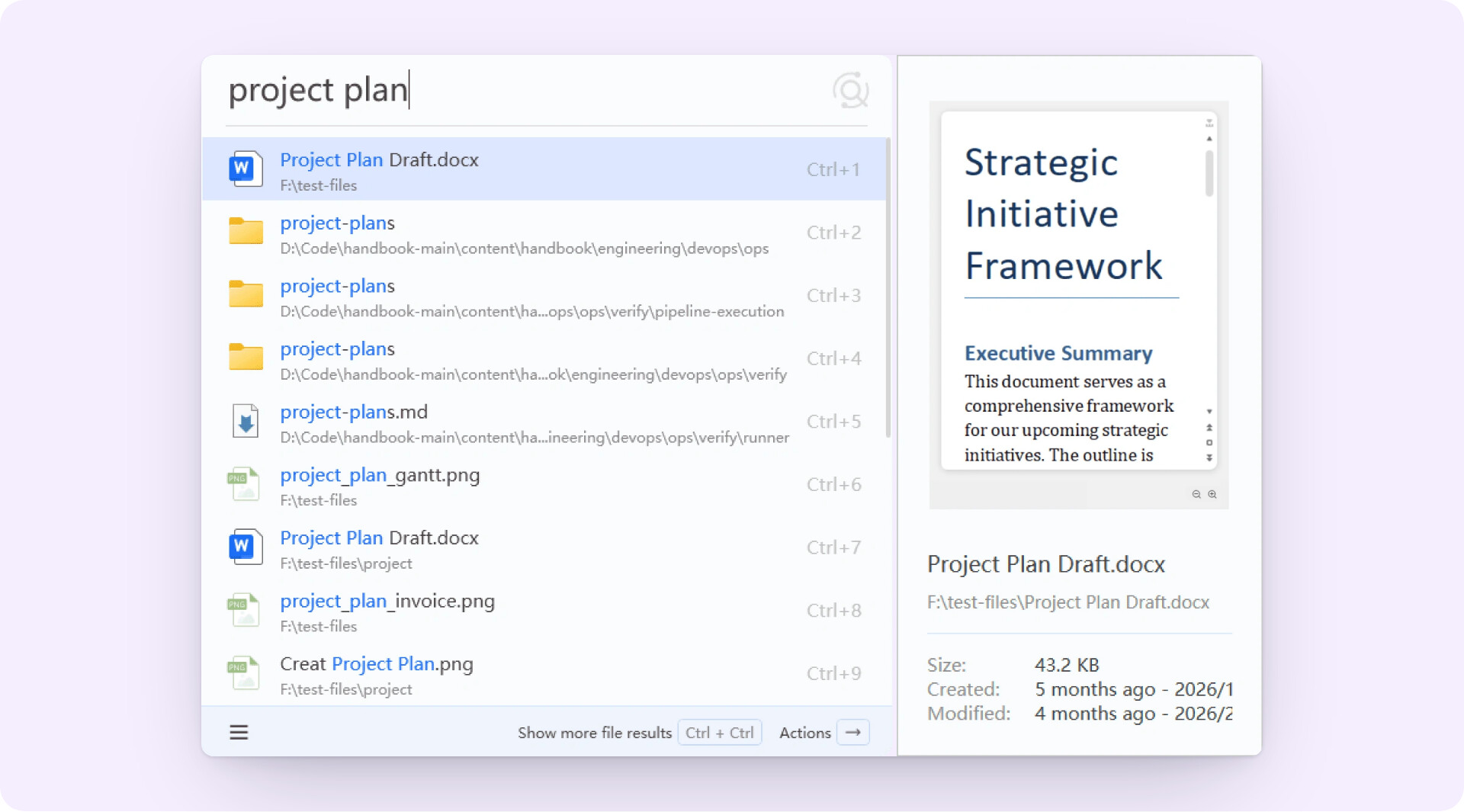
Preview panel, upgraded
Preview file contents right in the result list, not just an icon or a thumbnail.
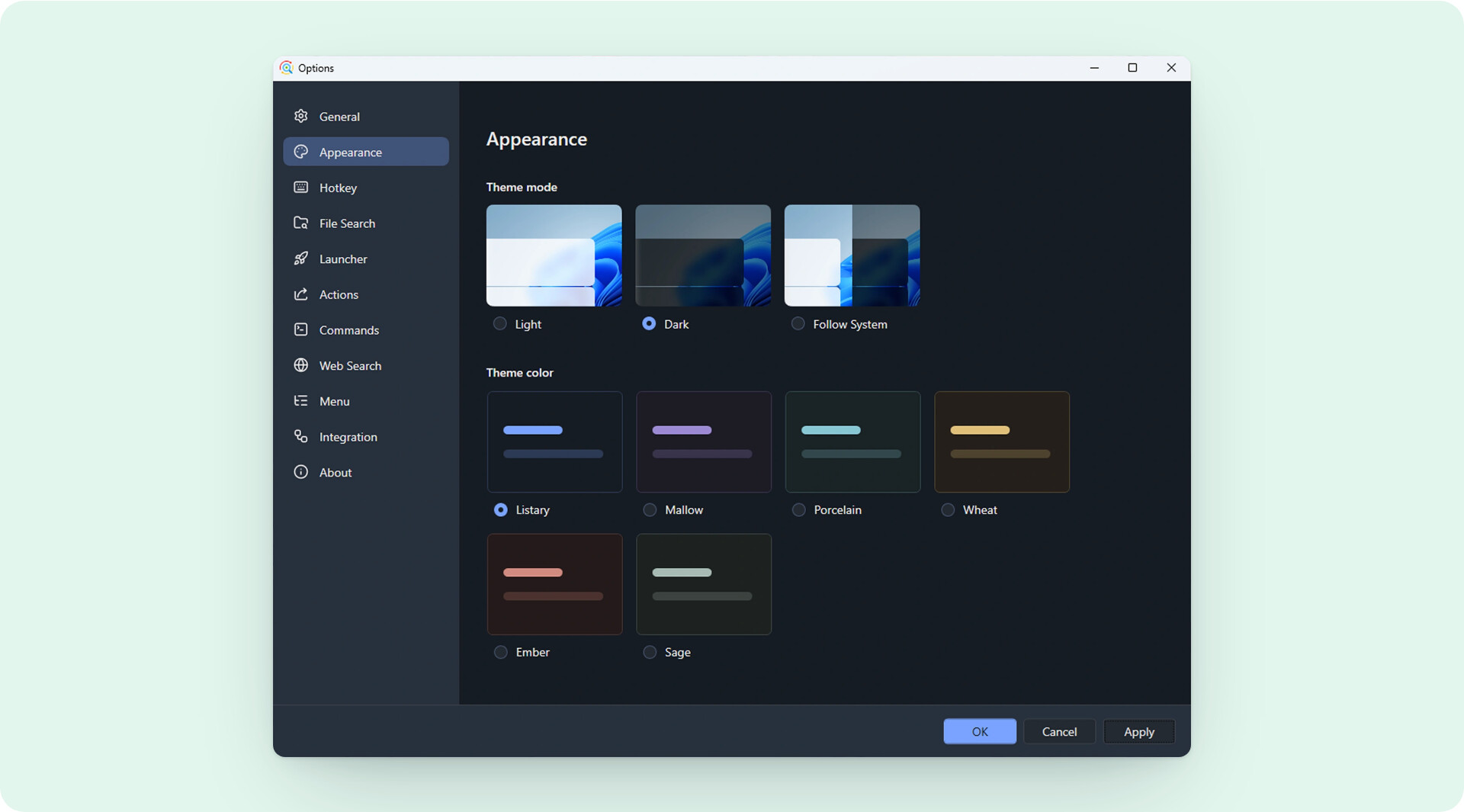
Settings and themes
The settings pages have been reorganized, so options that used to hide deep in menus are now in plain sight. Multiple new theme colors arrive, and dark mode reaches every screen.
For a tool you use countless times a day, looking good and feeling smooth changes how work feels.
Launcher UI upgrade
A new footer shows the shortcuts right on it. No more memorizing the hotkeys you use every day.
File Search supports multi-select
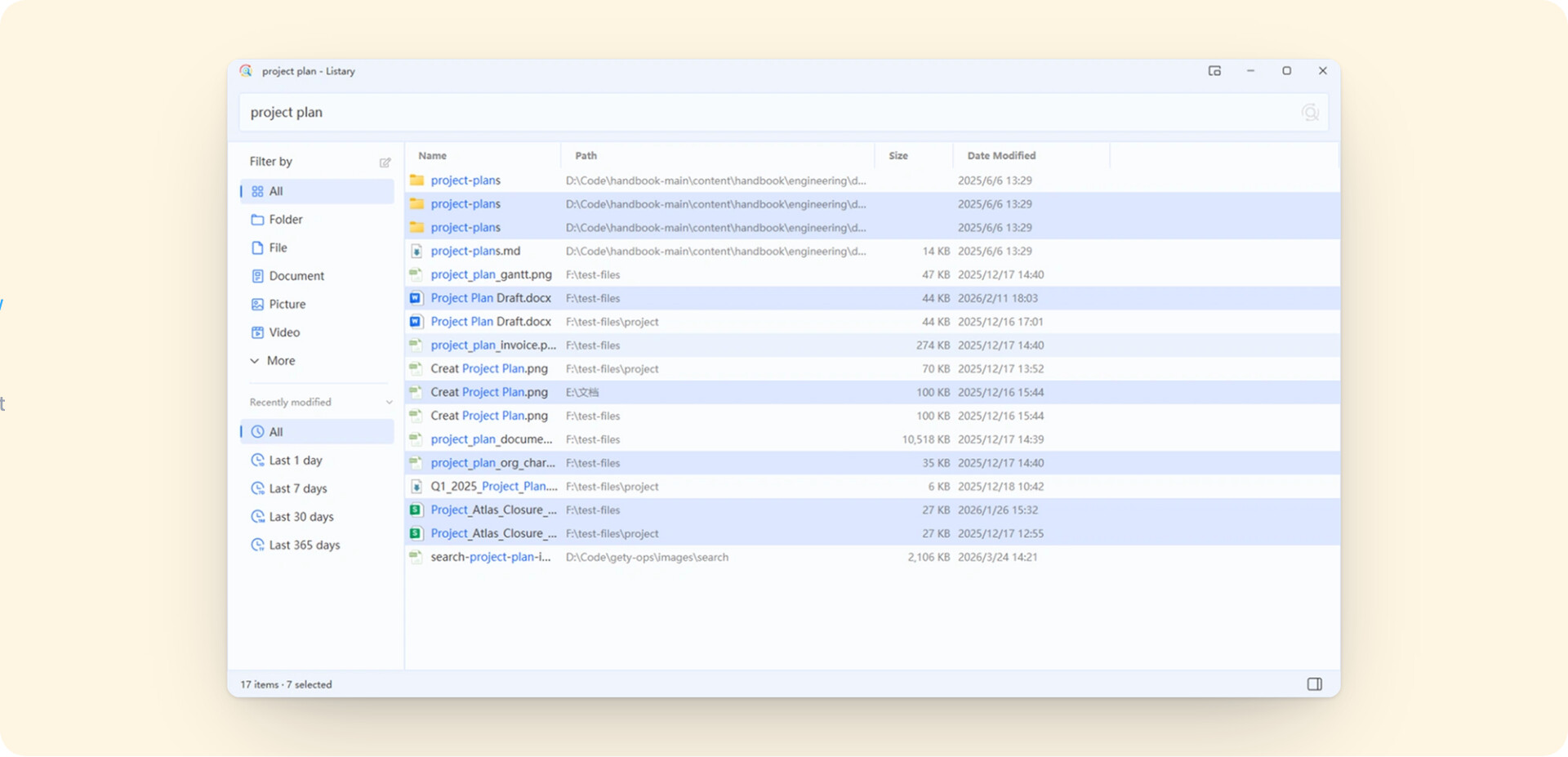
One of the most requested features ever, now live. Select several results at once, then batch copy, delete, or copy paths.
A new File Size column joins in, and every column sorts. When you need to filter down a batch of files and handle them in one go, this saves a pile of repeated steps.
A brand-new engine
The search core has been rebuilt: memory use is down 30%, speed is up 20%. More importantly, the old architecture’s limits are gone, and it now supports more columns to filter and sort.
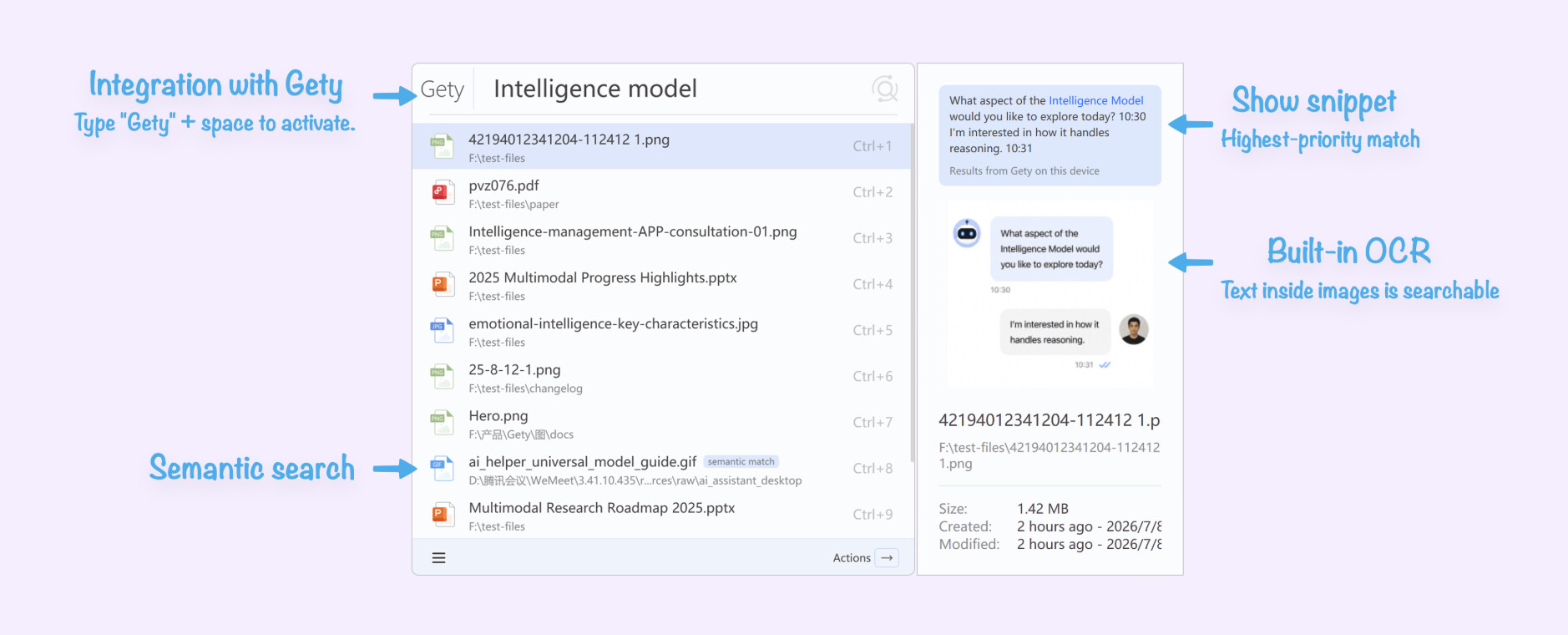
Listary finds the file. Gety gives you the answer.
It’s worth mentioning that alongside Listary, our team has also been developing a brand-new app called Gety.
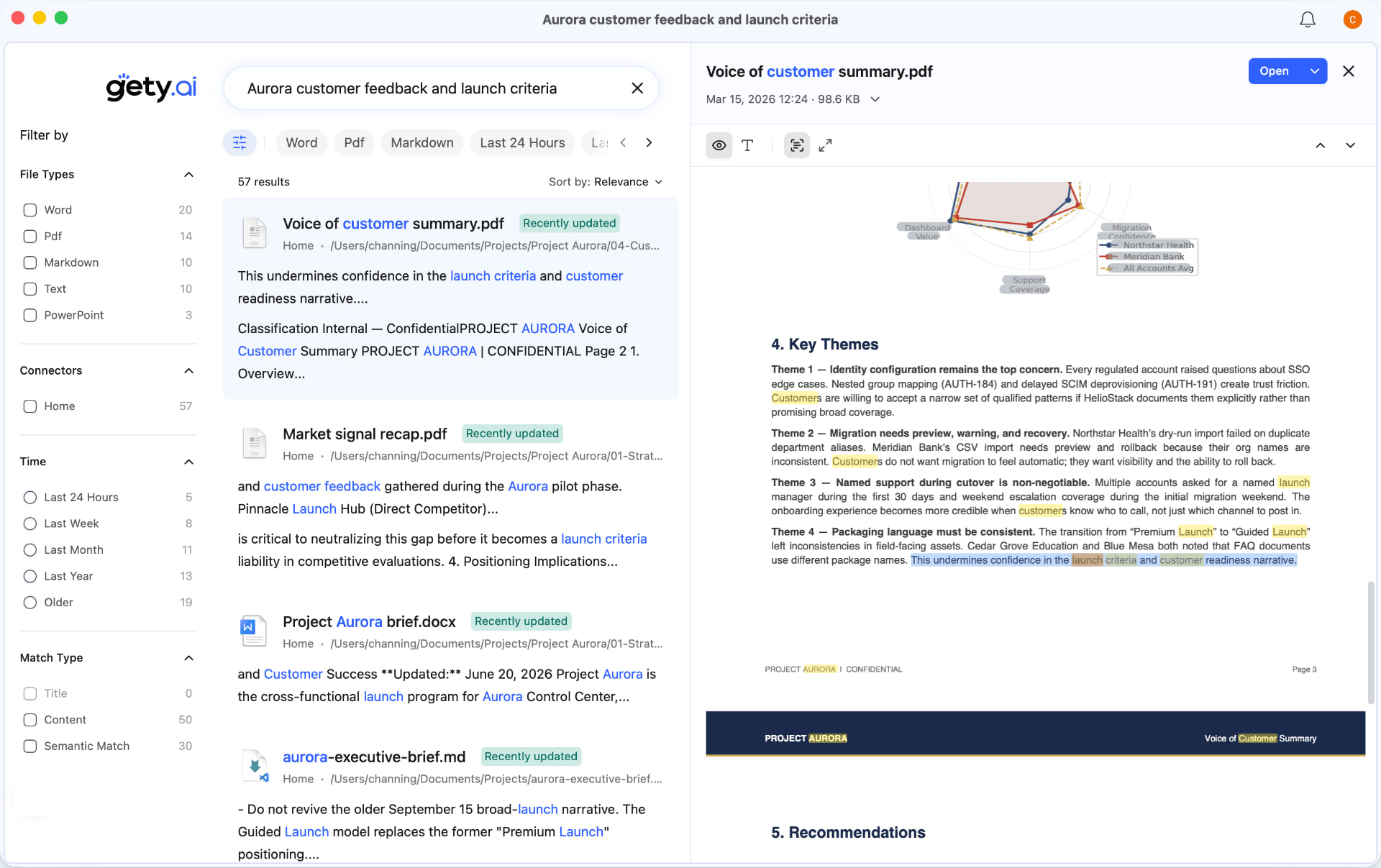
When you only remember what’s inside a file, hand it to Gety, a companion app from the Listary team. It runs full-text search across PDFs, scans, and Office files, built for serious work.
What Gety can search
- Documents: PDF, Word, PPT, Excel, and WPS, all rendered clearly.
- Scans & screenshots: leading on-device OCR makes scans and screenshots searchable.
- Any source: WeChat, email, cloud drives, and more, through connectors.
A smooth experience
- See the answer without opening the file: it jumps to the answer and highlights it, so you never flip through hundred-page documents again.
- Your AI can use Gety too: Gety searches your real work documents and feeds the AI the context it needs, in real time, so it stops guessing.
How Listary and Gety work together
- We’ll connect the two in a later update: you’ll see Gety’s content results inside Listary, and move straight from the Launcher into Gety’s fuller full-text search.
Learn more about Gety: Gety for Listary - Find Answers Inside Files | Gety.ai
On the V7 roadmap
Here’s where V7 goes next, and your feedback decides the order.
 Done
Done
- Launcher recommendations
- preview panel upgrade
- settings and themes
- Launcher UI upgrade
- multi-select in File Search
- a brand-new engine
- AI access
 In progress
- Faster window switching: list every folder you have open, not just the most recent one, for smoother switching between them.
- Custom recommendations: Launcher recommendations become customizable, so you can set your own go-to folders and see them the moment you open it.
- Pin files / folders: pin important files or folders to the top of the Launcher, one key to open, and they never shift with recent-use history.
- Launcher UI polish: make the actions and layout feel more natural to use.
- @ filters: type @ to pick filters and commands in a flash, with no keywords left to remember.
- Listary × Gety integration: show Gety’s full-text results right in the Launcher, so searching by filename and by content become one.
 Further out
- Clipboard history search: search the text, links, and snippets you’ve copied, directly.
- Browser history plugin: bring browser history and more sources into Listary.
- More File Search power: keep improving the File Search window with more columns, more filter conditions, and more.
V7 is still in Beta, which is exactly when your voice matters most. Give it a try, and whether it’s praise, a complaint, or “the feature I’ve always wanted,” drop a reply below and let us know