Great work, thank you for the updates!
1 Like
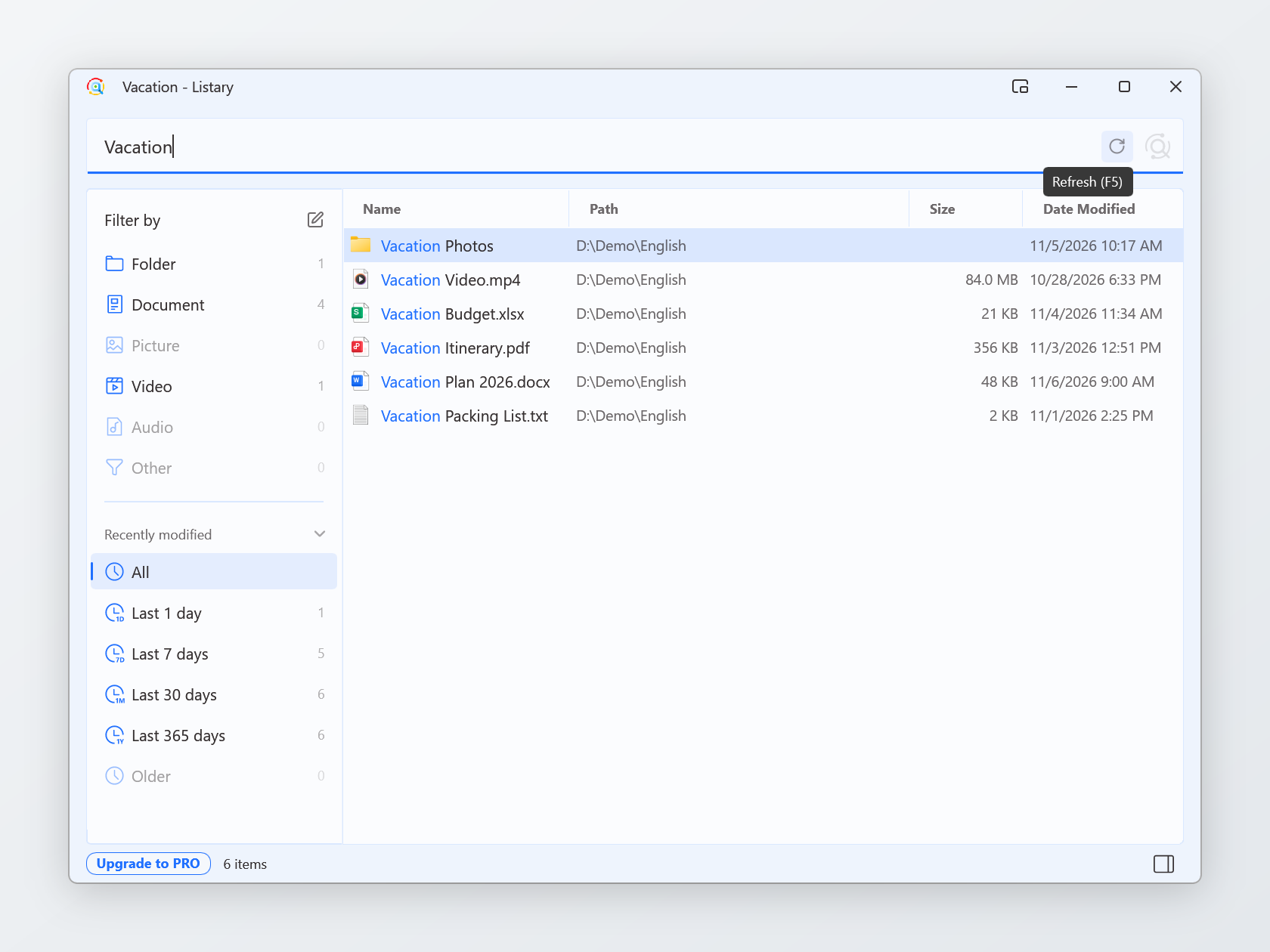
Listary 7.1.0.47 Beta is out. The File Search Window gets a Refresh button, a notice now appears when a hotkey is taken or the settings file is damaged, and it fixes 14 issues, a few of them reported here.
Improvements
- New Refresh button in the File Search Window: when files change, click it or press F5 to refresh the results.
- A notice now appears when a hotkey is already used by another app.
- If the settings file is damaged (for example, by a power cut while saving), Listary automatically restores the previous settings.
- When the background service isn’t running, Listary now explains why and how to fix it.
- Pressing Ctrl twice is more reliable with pens, drawing tablets and similar devices.
- In the Actions panel, ← now goes back to the results.
- Created and modified times in the preview are now shown to the minute, matching File Explorer.
- Web search now includes Bilibili, Douyin, Taobao and Yandex.
- Menus are more compact, with consistent icons.
- More consistent wording in the Chinese interface.
Fixes
- Fixed Listary crashing at startup on computers with data loss prevention or document encryption software.
- Fixed Listary freezing when display scaling changes, or when monitors are plugged in, unplugged or switched.
- Fixed crashes when selecting very long text, or when the system clock is set back.
- Fixed Listary freezing when another window (such as a stuck File Explorer) stops responding.
- Fixed Listary sometimes finding no files on disk and not working in File Explorer after startup.
- Fixed pressing Ctrl twice not opening the launcher after clicking the desktop while a desktop organizer (such as those from Tencent and 360) is running.
- Fixed the Listary search bar being covered in the Save As dialog of screenshot tools such as Snipaste.
- Fixed Ctrl+G not switching to OneDrive, Downloads and similar folders in Directory Opus.
- Fixed a Listary button staying on the taskbar after typing on the desktop to search and pressing Esc.
- Fixed File Search Window columns not resizing after dragging a file out of the window.
- Fixed some folders being treated as files, so nothing inside them could be found.
- Fixed the launcher’s new position not being saved when the computer was restarted right after moving it.
- Fixed the preview covering the launcher on portrait displays.
- Fixed the buttons at the top right of the File Search Window not showing in German and some other languages.
Thank you
You asked for this here, and it’s in this version:
- A way to refresh results in the File Search Window. Thanks @Stephen_Todd (t/9709) and @Andrey_K (t/10216)
How to update
Already on Listary 7: open Options > About and click Check for Updates.
On Listary 6 or installing fresh: download Listary 7.1.0.47 Beta and install it over your current version.
Read the full changelog →
Found a problem? Please start a new topic in Bug Reports with your Listary version (Options > About) and Windows version.
1 Like
@jamesr That’s the cause. A browser opens its Open and Save As dialogs in one of its own child processes, and Listary has to load a component into that process to show the search bar and handle Ctrl+G. Some security software, especially browser protection modules, blocks that component. Listary’s components are digitally signed, but some security software blocks them anyway, so adding an exception like you did is the way to fix it.