My Listary launcher do not appear when I press ctrl twice or right clicking and selecting Open Launcher from the tray.
I believe that it does open - only doesn’t show, because I can press 2 x ctrl, type Notepad (or any other program), press enter - and then the program opens as expected.
May I confirm if you are using multiple monitors? The Listary Launcher window remembers the last screen position where you placed it (for example, on an external monitor), which may cause it to appear off-screen now.
You can try:
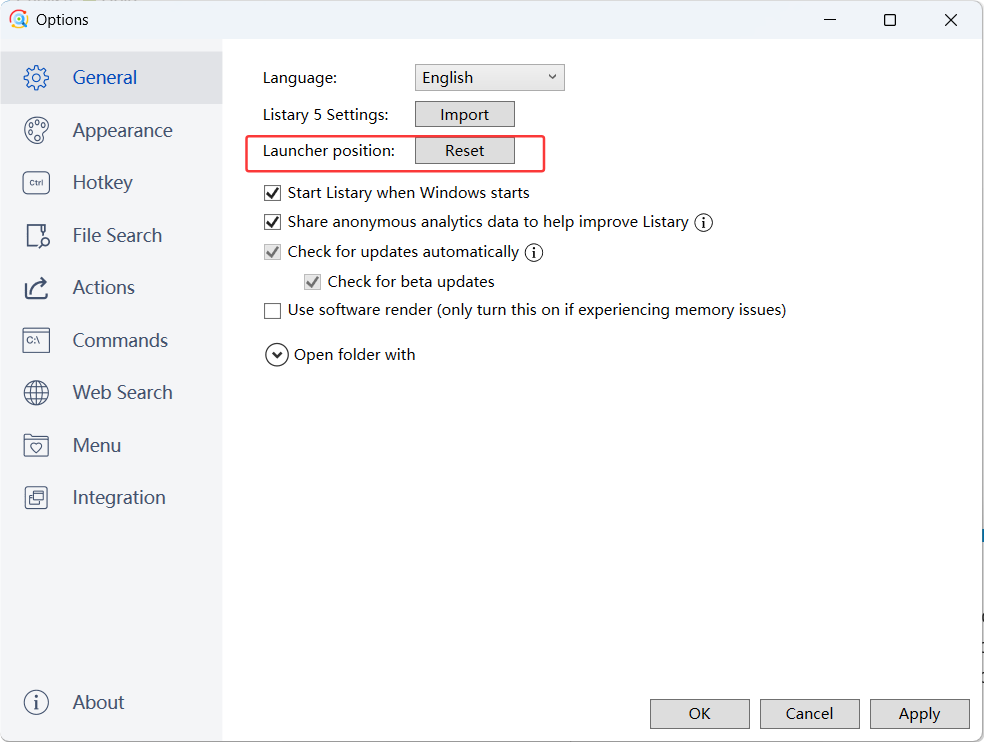
Open Listary Options → General → Launcher position → Reset, and see if it restores the window to normal.